Toolkit Versioning
If you're building an agent, we recommend using sessions instead. Sessions handle toolkit versions automatically so you don't have to manage them yourself.
Toolkit versioning ensures your tools behave consistently across deployments. You can pin specific versions in production, test new releases in development, and roll back when needed.
To view available versions, go to Dashboard > All Toolkits > select a toolkit. The version dropdown shows the latest and all available versions:
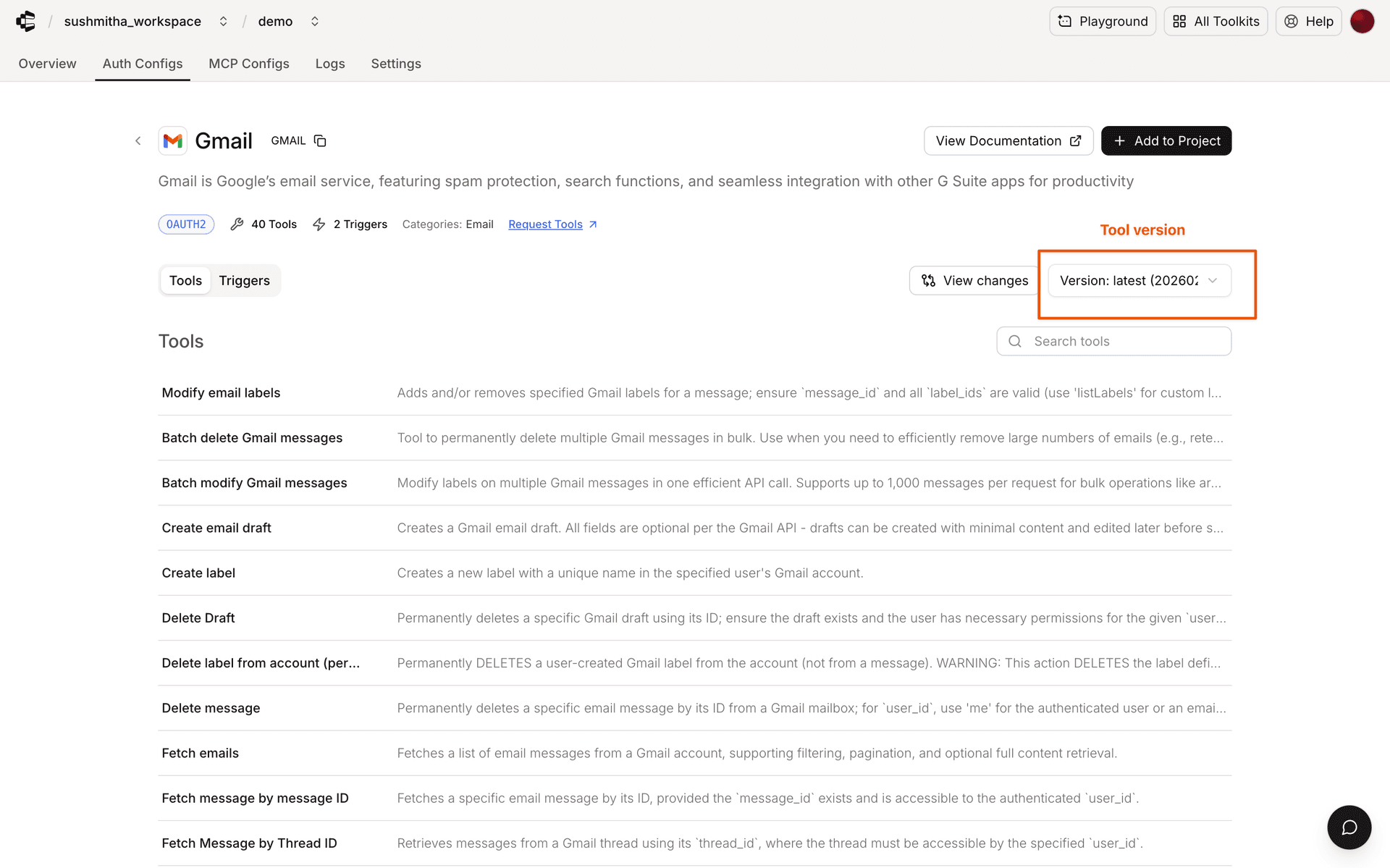
You can also find the latest version for each toolkit on the Toolkits page in the docs. Select a toolkit to see its current version and available tools.
Starting from Python SDK v0.9.0 and TypeScript SDK v0.2.0, specifying versions is required for manual tool execution.
Configuration methods
Configure toolkit versions using one of three methods:
SDK initialization
from devcaster import Devcaster

# Pin specific versions for each toolkit
devcaster = Devcaster(
    api_key="YOUR_API_KEY",
    toolkit_versions={
        "github": "20251027_00",
        "slack": "20251027_00",
        "gmail": "20251027_00"
    }
)
import { Devcaster } from "@devcaster/core";
// Pin specific versions for each toolkit
const devcaster = new Devcaster({
apiKey: "YOUR_API_KEY",
toolkitVersions: {
github: "20251027_00",
slack: "20251027_00",
gmail: "20251027_00"
}
});Environment variables
# Set versions for specific toolkits
export DEVCASTER_TOOLKIT_VERSION_GITHUB="20251027_00"
export DEVCASTER_TOOLKIT_VERSION_SLACK="20251027_00"
export DEVCASTER_TOOLKIT_VERSION_GMAIL="20251027_00"
Per-execution override
from devcaster import Devcaster

devcaster = Devcaster(api_key="YOUR_API_KEY")

# Specify version directly in execute call
result = devcaster.tools.execute(
    "GITHUB_LIST_STARGAZERS",
    arguments={
        "owner": "DevcasterHQ",
        "repo": "devcaster"
    },
    user_id="user-k7334",
    version="20251027_00"  # Override version for this execution
)
print(result)
import { Devcaster } from "@devcaster/core";
const devcaster = new Devcaster({ apiKey: "YOUR_API_KEY" });
// Specify version directly in execute call
const result = await devcaster.tools.execute("GITHUB_LIST_STARGAZERS", {
userId: "user-k7334",
arguments: {
owner: "DevcasterHQ",
repo: "devcaster"
},
version: "20251027_00" // Override version for this execution
});
console.log(result);Version format
Versions follow the format YYYYMMDD_NN:
YYYYMMDD: Release dateNN: Sequential release number
# Production
toolkit_versions = {"github": "20251027_00"}

# Development
toolkit_versions = {"github": "latest"}
Never use latest in production. It can introduce breaking changes.
Version resolution order
- Per-execution version (highest priority)
- SDK initialization version
- Environment variable (toolkit-specific)
Managing versions
Check available versions using:
# Get toolkit information including available versions
toolkit = devcaster.toolkits.get(slug="github")

# Extract and print version information
print(f"Toolkit: {toolkit.name}")
print(f"Current Version: {toolkit.meta.version}")
print(f"Available Versions: {toolkit.meta.available_versions}")
import { Devcaster } from '@devcaster/core';
const devcaster = new Devcaster({ apiKey: 'your_api_key' });
// ---cut---
// Get toolkit information including available versions
const toolkit = await devcaster.toolkits.get("github");
// Extract and print version information
console.log("Toolkit:", toolkit.name);
console.log("Available Versions:", toolkit.meta.availableVersions);
console.log("Latest Version:", toolkit.meta.availableVersions?.[0]);